Browser-First Access for Distributed Teams
Work rarely stays on one computer. An approval is needed while the reviewer is travelling, a contract lands after someone has left the office, and a colleague on site has only a phone. Repora keeps those actions attached to the shared space rather than to one machine.
Use the browser to find, preview, share and file documents from a phone, tablet or laptop. The same spaces, permissions and version history are available from each of them.
Because automation rules and conversions run on our servers, the device in your hand does not carry the work. Start a job, close the browser and come back later to the result.
That model gives distributed teams one place to work. Documents, viewers, search and workflows stay part of a single platform instead of a per-device arrangement.
Why Browser-First Access Matters
A modern team spans offices, home desks, client sites and travel. People need to check a document, approve a request or find the current version without first getting back to the machine where the work started.
Device-bound folders create duplicate copies and unclear ownership. They also make handovers harder, because colleagues cannot rely on a common location or a shared view of the file.
Repora stores work in shared spaces and exposes it through a responsive web interface. One sign-in gives a consistent route to documents, search, permissions, viewers and automation.
The result is operational continuity: start from whatever device is at hand, keep running work visible and return to the same organised workspace from another one.
Working from a Phone or Tablet
Open Repora in a mobile browser to reach shared spaces without copying the library onto the device.
Approve a document, leave a comment, file an attachment or check what an automation rule produced. The processing happens on our servers, so the browser does not need to stay open.
Built-in viewers show PDFs, images, spreadsheets, audio and video in the browser, so a reviewer can decide whether to approve, share or convert after actually reading the file.
Search and filters keep the working set manageable on a small screen. Find the document, check its space and version, then take the next action from the same place.
Connections are encrypted, and permissions stay attached to the shared space rather than being recreated for each local copy.
The outcome is practical mobile access to the same documents and running work the rest of the team uses, with no separate mobile filing system to maintain.
No Software to Install
Repora runs in a standard browser. There is nothing to deploy to laptops, no plugin for IT to approve and no per-device licence to track.
That shortens onboarding. A new colleague, a contractor or an external reviewer is given access to one shared space and can start work in the same session.
It also simplifies offboarding. Removing a person revokes access immediately, and the documents stay where they were filed.
For teams that work with external parties, browser access avoids asking a client to install anything before they can review a document you sent them.
The interface adapts to the screen, so navigation and the primary actions stay usable across a wide range of devices.
Documents already in Repora are reachable from any of them without repeating the filing step. Search the workspace or describe what you need in plain language.
Work from Windows, macOS and Linux
On a desktop browser, Repora gives room to manage larger sets of documents, review activity and work with connected Google Drive or OneDrive folders.
Use the same browser for filing, viewing, permissions and workflow administration. The same documents remain reachable when the next step happens on a phone.
Larger screens make it easier to search broadly, compare versions and manage running jobs. Server-side processing means the browser coordinates the work without becoming the place it runs.
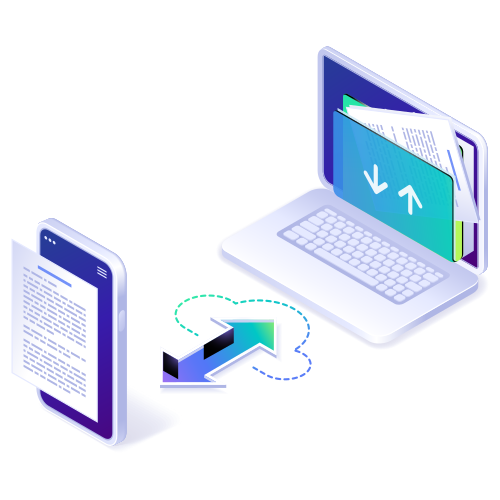
Desktop and mobile activity are tied to one account, so a document filed from one device becomes part of the same searchable workspace on the others.
That provides a stable operating model for a distributed team: shared storage, visible work and browser-based access.
How the Workflow Comes Together
The shared space is the common layer between devices. Documents, versions, permissions and activity all belong to it rather than to a machine.
On a laptop, organise spaces, configure automation rules and schedules, manage permissions and review documents in the built-in viewers.
On a tablet or phone, open the same interface to approve, comment, locate a file or check a job. There is no separate mobile workspace to reconcile.
When a scheduled job or conversion finishes, the result is filed in the space it belongs to and is available for the next step.
That continuity removes duplicate storage and ambiguous handovers, and gives a team a consistent place to see what is happening.
Designed for Cross-Platform Work
Repora keeps the cross-platform model straightforward:
Responsive web - one interface adapts to phone, tablet and desktop browsers.
Shared spaces - documents live in the workspace instead of on the device that received them.
Server-side work - automation rules, scheduled jobs and conversions run centrally and stay visible in the activity view.
Built-in viewers - documents, PDFs, images, audio and video open without device-specific software.
Together, these give a distributed team one dependable place for its document work.
A Consistent Workspace, Wherever Work Happens
Repora makes documents, search, viewers, conversions and workflows available through one workspace on any supported browser. The device in your hand is an access point, not another storage silo.
Server-side processing keeps work moving when a device disconnects. Shared spaces and permissions give a team a clear, manageable source for its documents.
Use Repora when you need a dependable route from any screen to the document, its context and the next action.